
PayWeb360 v1.22 is now available in production. The purpose of this release is to introduce 1 new feature (Agent Links), make 2 enhancements (Default Payment Amount, CPI Payment), and resolve 2 issues (Automatic Payment, Show Password).
Agent Links
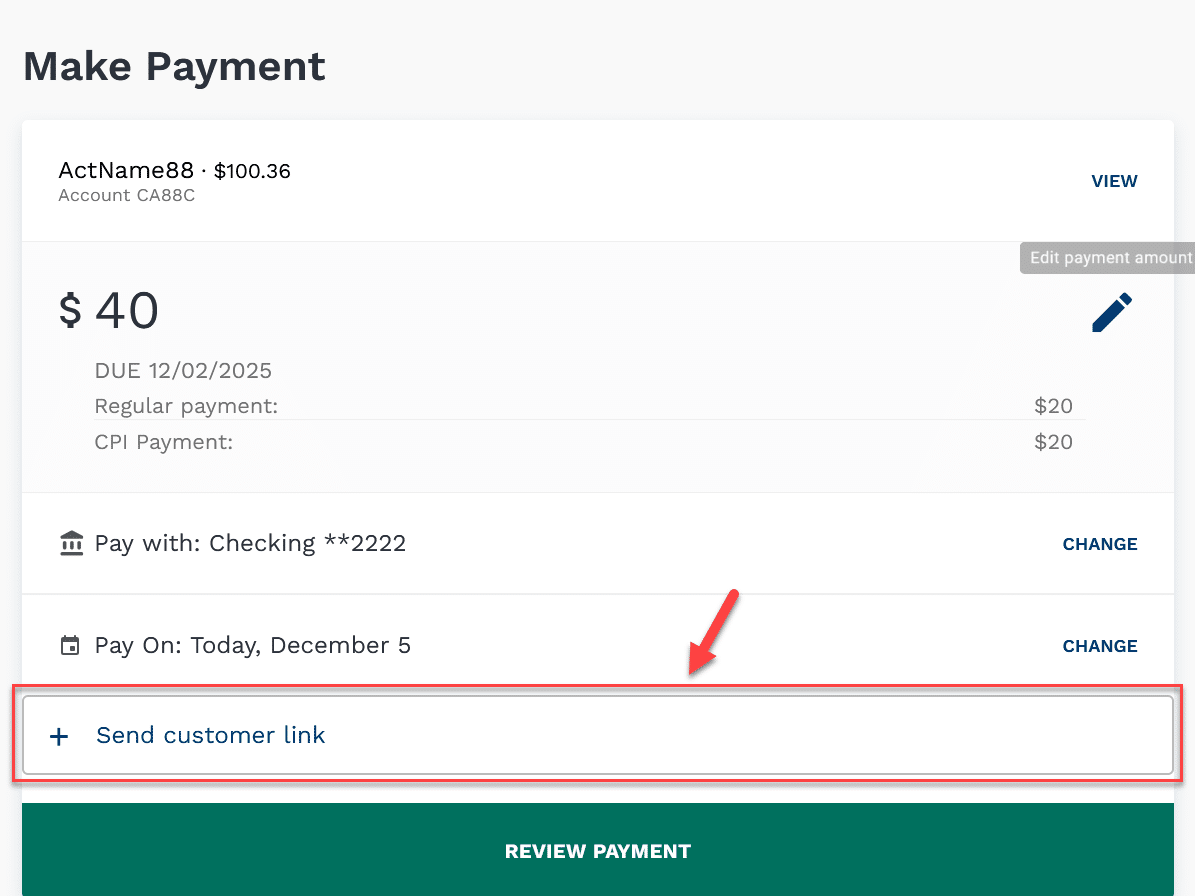
Agent Links is a new feature that enables a PayWeb360 agent user to email a PayWeb360 link.
Use Cases
- Remove an agent from PCI scope
- Provide a secure channel for a customer uncomfortable sharing information over the phone
- Collect a payment to avoid a service disruption (e.g.; vehicle re-possession)
- Assist a user having trouble logging in
How it Works
- When enabled, a Send Customer Link button is presented on both the Make Payment and Verify Payment page
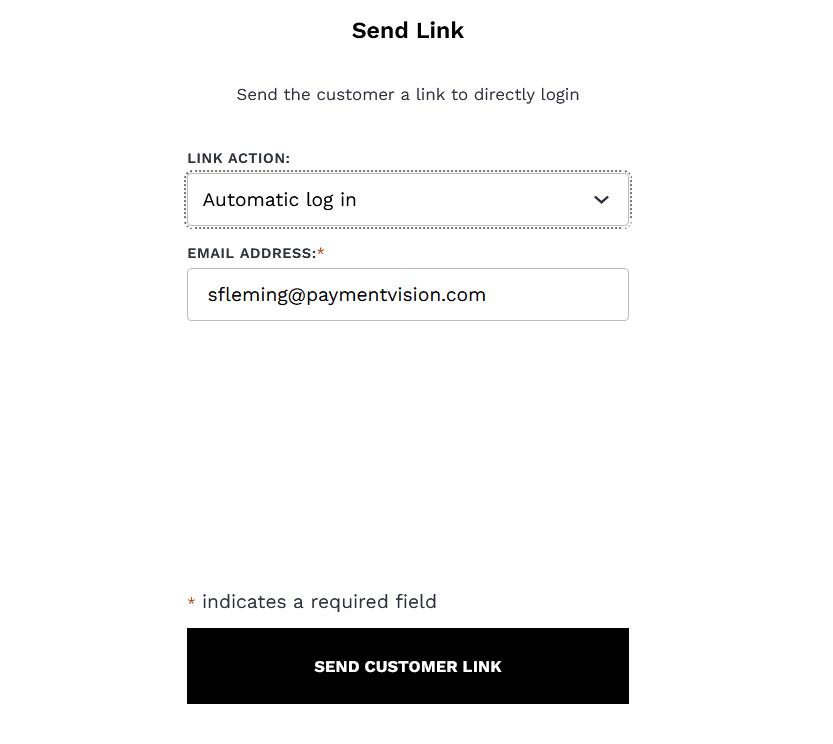
- When clicked, a Send Customer Link screen is presented

- When a link is sent to a registered email address it bypasses the login
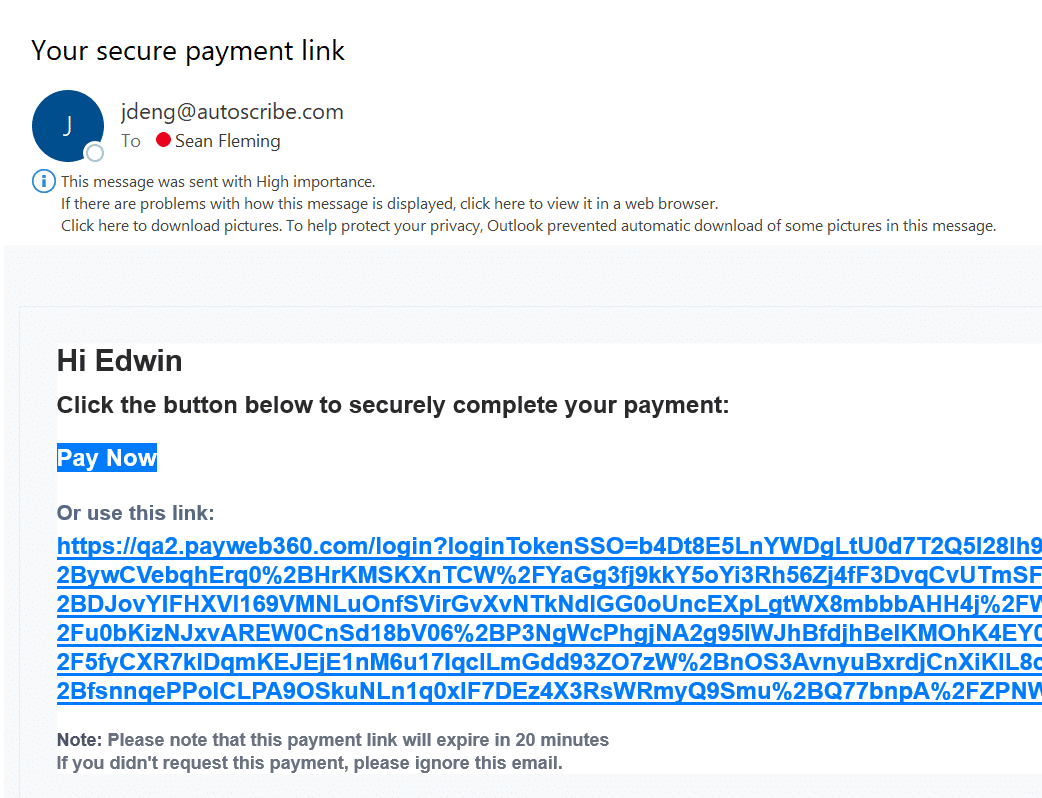
- For security, it expires after 20 minutes
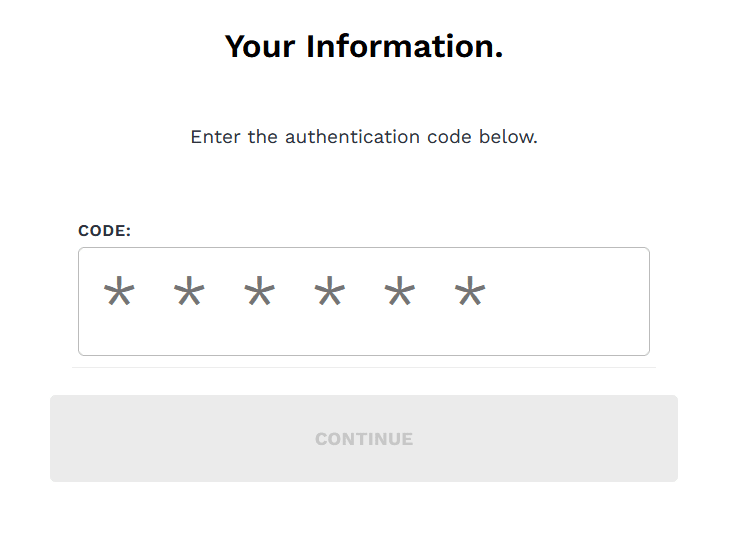
- When a link is sent to an unregistered email address an access code is required

- Entering an access code logs the customer in and enrolls the email address in payment notifications

Link Types
Agents can send the following types of links:
| Automatic Login |
|
| Make Payment |
|
| Verify Payment |
|


Limitations
| Communication Channel | Links can be sent via email only |
| Payment Types | Payment links can be sent for one-time payments only |
Payment Default
Presentation
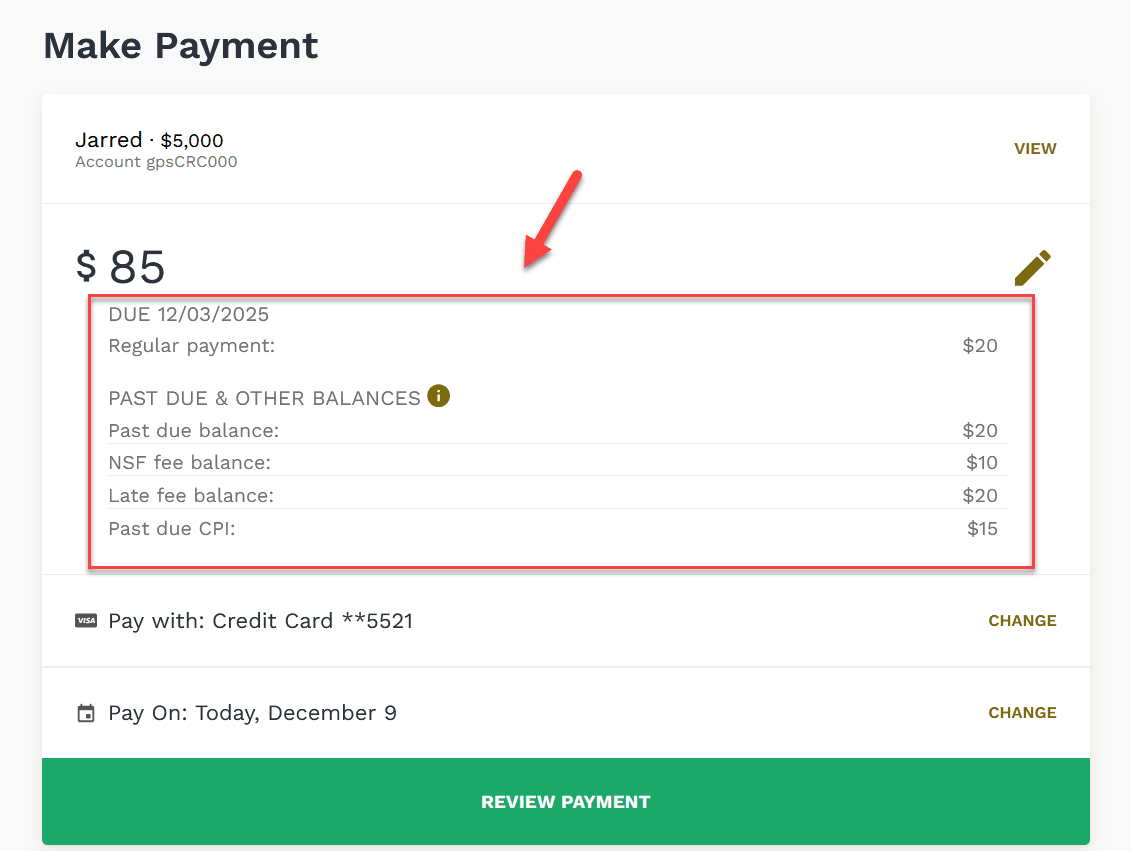
Prior to this release, the next payment and past due balance were presented as part of a sentence.
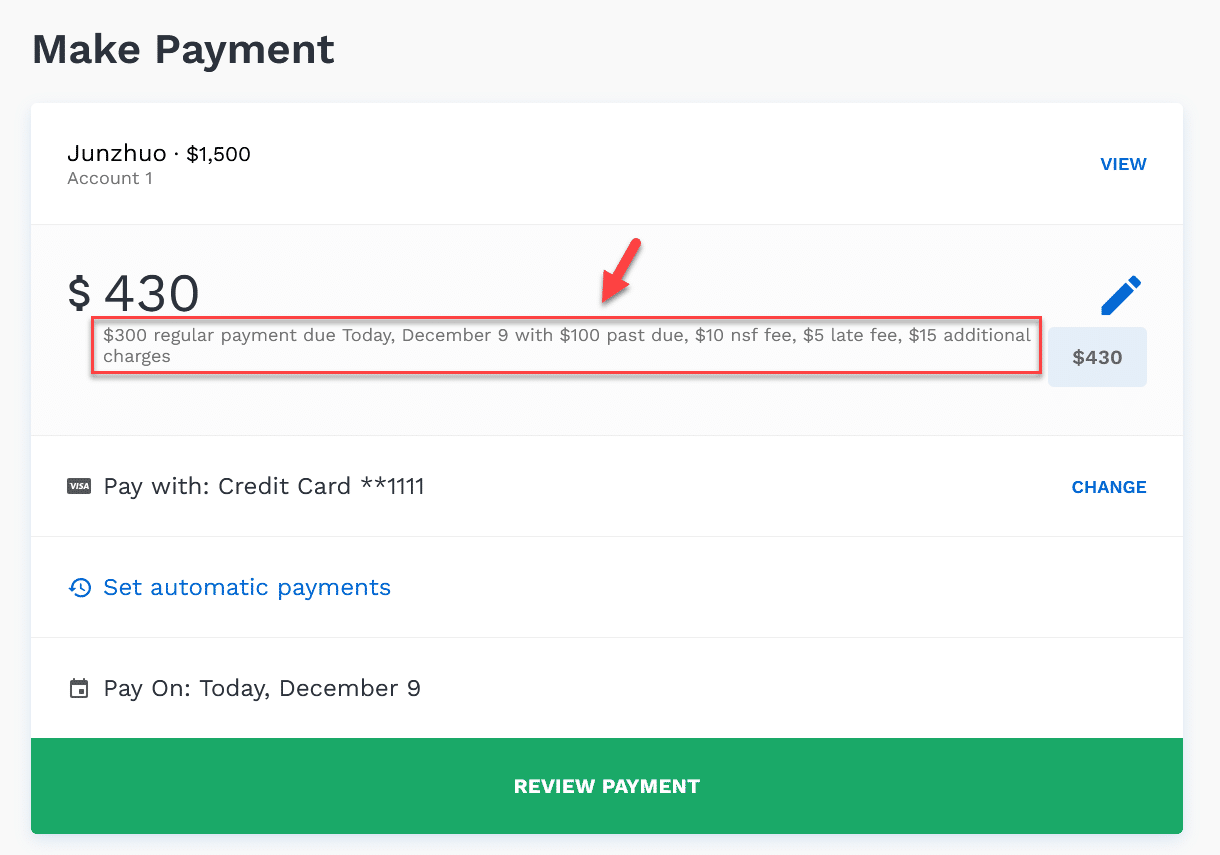
Now, they will be grouped with each item on its own line to reduce cognitive load, and an info icon will be used to provide additional information. Our hypothesis is that, by making it easier to understand the entirety of what is owed, we can reduce the number of call-ins to the office.
Population
Prior to this release, the next payment amount would be added to any additional balances (e.g.; past due balance) when populating the default payment amount. Now, the next payment amount will only be added to any additional balances when the next payment is due today.
Configuration
- The inclusion of additional balances as part of the default payment amount is now configurable. By default, they are included.
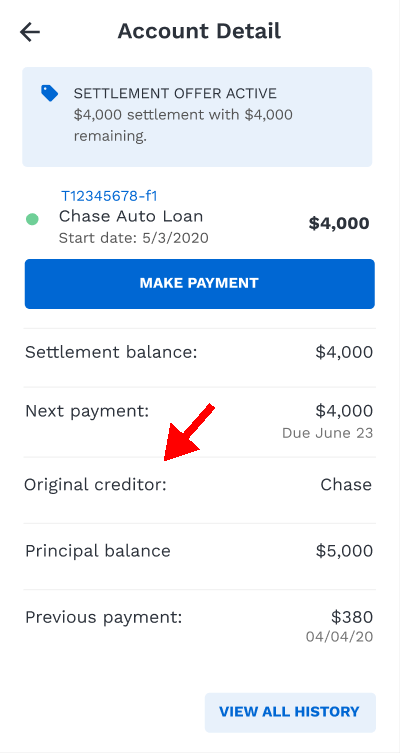
- The total balance due field, inclusive of additional balances, can now be hidden on the Account Detail screen. By default, it is presented.

CPI Payment
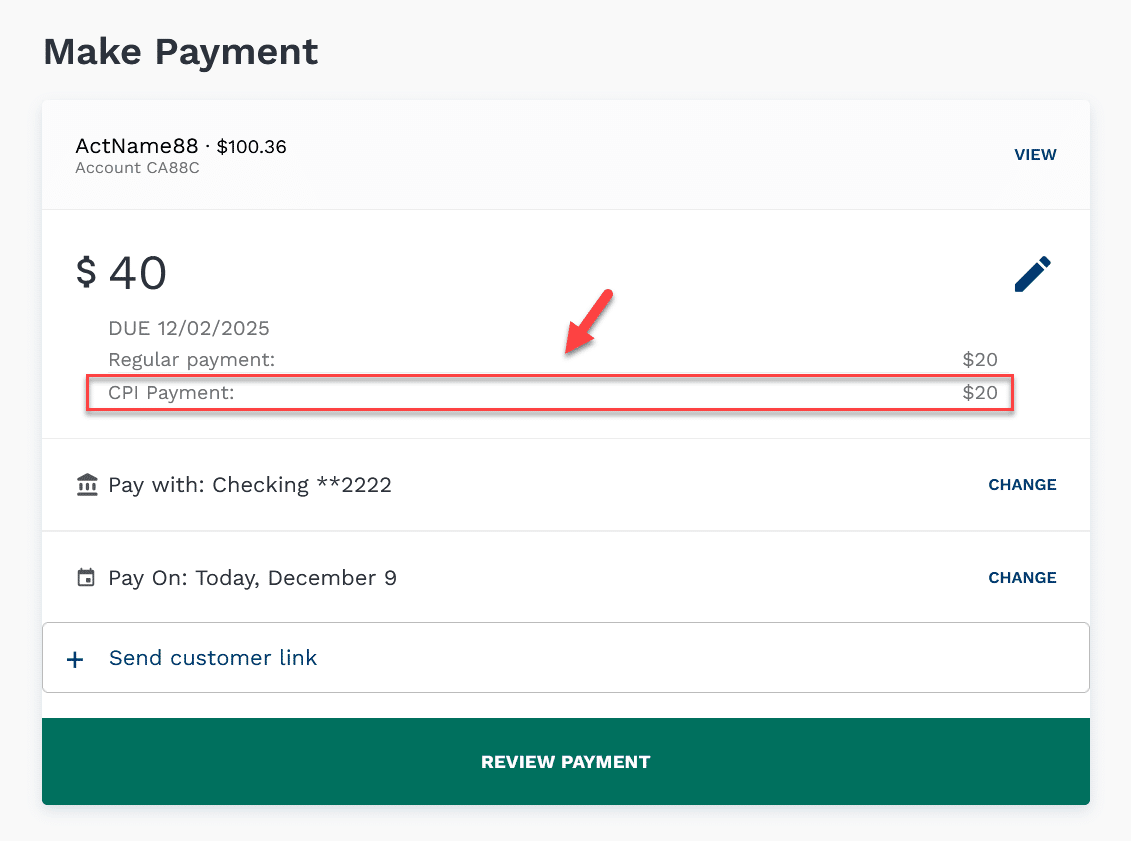
We can now present the next Collateral Protection Insurance (CPI) payment due and include it as part of the default payment amount.
Automatic Payment
Prior to this release, the automated payment option was presented even when there was an additional balance (e.g.; past due balance). Now, if the default payment amount is configured to include additional balances and one or more exist, it is hidden.
Show Password
We increased the size of the show password icon on the Login page to resolve an ADA issue.
Known Issues
The following issues were deemed to be non-critical, and we intend to fix them in a future release.
| Agent Links |
|
| Payment History | Refreshing the Payment History page redirects the user to the Dashboard. This issue is currently in production, but we discovered it while working on this release. |
Edge Cases
The following issues were deemed unlikely to be encountered, and may or may not be fixed in a future release.
|
Automatic Payments
|
|
|
Agent Links
|
An error will occur if HSA is the only approved method. |